Dear Sitecore Family,
If you have ever moved a content tree from DEV to QA with Package Designer, here is the news: it is gone. Per Sitecore, starting with base image version 1.8.24 and effective July 7, 2026, Package Designer is no longer available in SitecoreAI. Its replacement is a pair of APIs, and the July 10 changelog entry, Migrate content between SitecoreAI environments using APIs, points to the docs that explain them.
There are already a few good community posts on the API calls themselves (I have linked them below). So instead of repeating the request samples, I want to cover the part I find most useful for a team: how the old mental model maps to the new one, where it can bite you, and what these APIs do not cover.
The two APIs, in one paragraph
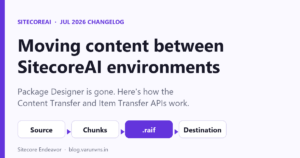
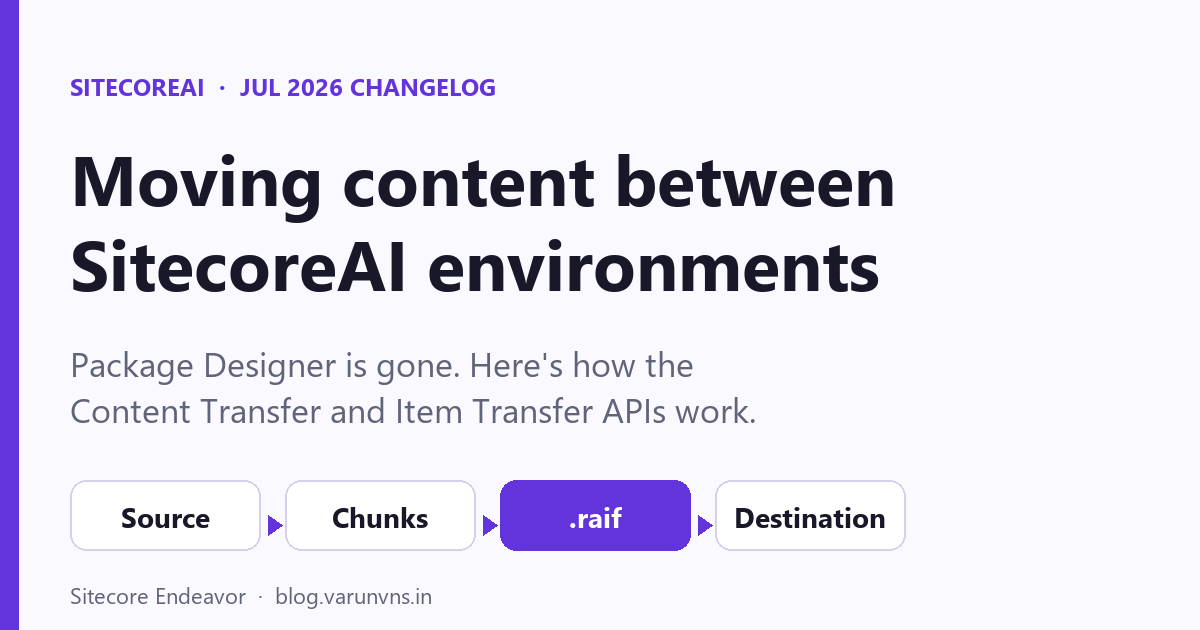
The Content Transfer API exports content from a source environment and packages it into .raif files on the destination. The Item Transfer API then loads those .raif files into the destination database. Both are used by Organization Admins or Owners, and both need an automation client and a JWT for each environment. The Content Transfer API was announced on July 1, 2026, and the July 10 entry added an overview page (with a Package Designer comparison) and a step-by-step walkthrough.
From Package Designer to the APIs
Sitecore’s overview gives a direct mapping. I find it the quickest way to explain this to a team that has used Package Designer for years:
| Package Designer | Now |
|---|---|
| Add Item | Scope: SingleItem |
| Add with Subitems | Scope: ItemAndDescendants |
| Overwrite (install option) | MergeStrategy: OverrideExistingItem |
| Skip (install option) | MergeStrategy: KeepExistingItem |
| Merge the entire tree | MergeStrategy: OverrideExistingTree |
Generate .zip | Create a transfer and complete chunk sets, which produces .raif files |
| Installation Wizard | Item Transfer API |
Two things change in how you think about it. First, the merge strategy is decided when you create the transfer, not at install time. Second, there is no .zip that someone emails around. Sitecore lists three advantages: no size limit on the API route (chunked streaming), no manual file download or upload, and merge strategies set upfront.

How a migration runs
The walkthrough has five steps. In short:
- Create the transfer on the source. A POST to
/sitecore/api/content/transfer/v1/transferswith aTransferId(a UUID you pick) and the item paths, scope and merge strategy inDataTrees. You get a 202 back. - Wait for it. Poll the status endpoint until
StateisCompleted. It returns aChunkSetIdand aChunkCountfor each chunk set. - Move the chunks. GET each chunk from the source, PUT it to the destination, then call
completeonce per chunk set. That call builds the.raiffile and returns its name. Keep that name. - Delete the transfer on the source. Clean-up, and you can do it as soon as the chunks are downloaded.
- Consume it on the destination. The Item Transfer API picks up the
.raif. You poll untilTransferStateisFinished, then delete the blob.
One thing I read twice: the docs say there is no manual file download or upload, yet step 3 has you retrieving and saving chunks. As I read it, you do not handle files, but whatever you build (a script, a pipeline, a Marketplace app) does relay each chunk between the two environments. That is where the automation lives.
Gotchas worth knowing before you run it
- Parent items must already exist. The parent chain has to exist on the destination with the same item IDs. If it doesn’t, the transfer reports success but the item never appears in the content tree. Transfer from a common ancestor with
ItemAndDescendants, or move the parents first. OverrideExistingTreedeletes. It is the only strategy that removes existing items. It deletes the item and all its descendants on the destination before writing the transferred ones. Sitecore’s own wording is “use with caution”, and I would treat it as a production-only-with-sign-off option.- Forward chunks untouched. Do not decompress, decrypt or modify the stream. Each chunk comes with an
IsMediaflag in theContent-Dispositionheader, and you pass the same value as?isMedia=when you PUT it to the destination. - The JWT expires in 24 hours. An unexpected 403 usually means it is time for a new one. One community post also reports that a missing
audiencevalue when requesting the token gives an access-denied error that looks like bad credentials, so use the value from the API reference (https://api.sitecorecloud.io). - 100 MB applies to one route only. If you upload a
.raifdirectly to the Item Transfer API (skipping the Content Transfer API), the limit is 100 MB. The docs describe that route as for smaller, ad-hoc transfers. Files deployed as build artifacts underApp_Data\sitecore transferred items\master\can go up to 5 GB each, and you consume them manually afterwards. - Partial success is a state.
TransferredWithErrorsis terminal. Open the transfer details and read theValidationErrorsbefore you tell anyone it worked.
Also, transferred items follow your normal publishing workflow, so plan the publish after the move.

What the APIs don’t do
The overview is clear on this, and it is the part that affects migration plans most:
- Users and roles. Package Designer could carry security accounts. The APIs don’t. Sitecore points to claims mapping (map your identity provider’s roles to SitecoreAI roles) or the Sitecore CLI serialization plugin.
- Code and config. DLLs, config files and handlers are not supported, because environments are immutable and such files are lost on restart. Source control and CI/CD are the route.
- XM/XP to SitecoreAI migrations. This is a different job. Sitecore points to SitecoreAI Pathway for that.
If your old release checklist said “build a package with items, users and a config patch”, that is now three separate lanes.
What others have written
Please read these as well. They go deeper on the calls than I have here, and I have not re-run their examples.
- The New Way to Migrate Sitecore Content (Chirag Khanna, July 2026): a hands-on DEV to QA walkthrough with a Postman collection.
- A Modern Approach to Sitecore Content Migration (Sandeep Pote, July 2026): the start of a multi-part series covering each step in detail.
- No More Packages (Suresh Rayarakula, July 2026): the why behind removing packages, plus a tool built on the APIs.
- Moving Content Safely Between SitecoreAI Environments (XCentium): the design of a Marketplace app on top of the APIs.
One note if you read several: Sitecore’s docs list three merge strategies (OverrideExistingItem, KeepExistingItem and OverrideExistingTree). If a sample you find shows a fourth, check it against the API reference for your environment before relying on it.
My take
The change is bigger than swapping a tool. Package Designer was a person clicking through a wizard. The new route is built for automation: scripted, repeatable and auditable. That is good news for teams who want DEV to QA to PROD moves in a pipeline. The price is that someone now owns a script or an app, with tokens, retries and clean-up. And since users, roles and code are out of scope, it is worth writing down which lane each kind of change takes. If that is on your project’s release checklist already, great. If not, this is a good week to add it.
Hope this helps!
References:
- Sitecore changelog: Migrate content between SitecoreAI environments using APIs (Jul 10, 2026)
- Sitecore changelog: Content Transfer API and Item Transfer API now available (Jul 1, 2026)
- Migrating content between SitecoreAI environments (overview)
- Migrate content between SitecoreAI environments using the Content Transfer API and the Item Transfer API (walkthrough)
- Content Transfer API reference
- Item Transfer API reference
Happy Sitecoring and Happy Migrating! 🙂